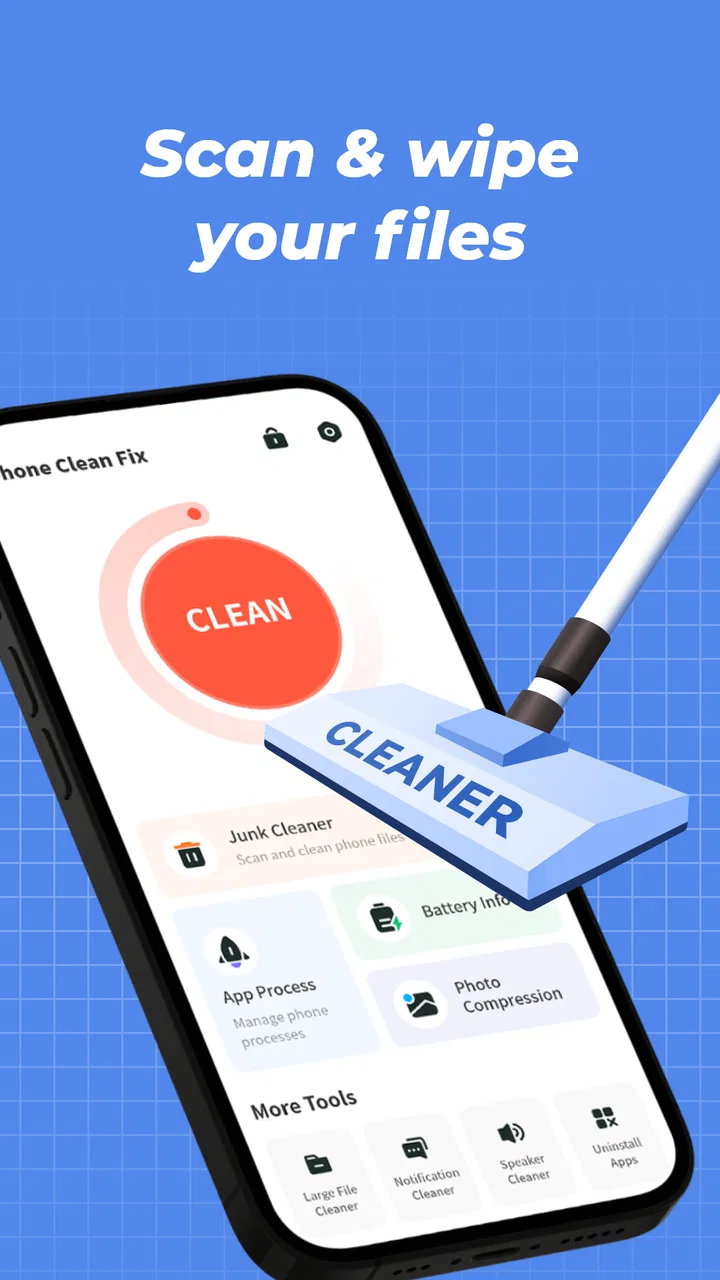
Phone Clean Fix
- 4.5
- Rating
- 5.00M
- Installs
- Free
- Price

 Analysis by App-foxy
I tried Phone Clean Fix as a straightforward Android tool for tidying up a phone, and my first impression was that it aims for usefulness rather than spectacle. Its store summary, “Simple cleaning, easy management,” describes the general approach well: this is meant to be an accessible utility for people who want a cleaner, more manageable device without turning maintenance into a technical project.
The app comes from Mr.Appp.86 and is free to use. It belongs to the tools category, carries an Everyone age rating, and supports Android devices running version 7.0 or later. That broad compatibility matters because a cleaning utility is often most useful on phones that are no longer new. I also found the app’s basic identity easy to understand from its short description, “Phone Clean Fix,” although the real question is whether that simplicity translates into a safe and dependable routine.
My overall view is positive, with an important qualification: I see this as a practical maintenance assistant, not a magic speed button. Cleaning can make storage management easier, but it cannot turn aging hardware into a modern phone. Used with sensible expectations, this app can be convenient. Used aggressively, any cleaner can create unnecessary work or remove items you meant to keep.
You May Also Like

 Blood Strike: 2.5 Anniversary
Blood Strike’s Loadouts Turn Every Drop Into a Tactical Gamble
A close look at Blood Strike’s custom loadouts: how fast access to signature weapons reshapes its battle royale rhythm, rewards preparation, and narrows the gap between fights.

 Pandora - Music & Podcasts
Pandora’s Music Is Easy to Start, but Harder to Recover
Pandora’s strength is its low-effort path from a seed to a station. Its weak spot is how much confidence it asks you to place in connection, setup, and quiet recovery.

 8 Ball Pool
 Is Built on Rivalries, Rematches, and Routine
A close look at the rivalries, rematches, shared routines, and unanswered safety questions that turn a quick pool match into a persistent mobile community.

 Samsung Music
’s Quiet Strength Is Playing What You Already Own
Its reach comes less from spectacle than from dependable access to a personal library. That simplicity is both the app’s strongest retention engine and its ceiling.

 AccuWeather: Weather Radar
AccuWeather Review: A Quick, Clear Forecast for Everyday Decisions
For everyday plans, the best forecast is the one you can understand quickly. AccuWeather makes rain timing, radar, and local conditions easy to act on, with a few trade-offs.

 Hill Climb Racing
Why Hill Climb Racing Still Turns Crashes Into One More Run
A tiny car, a bumpy hill and one more upgrade: Hill Climb Racing keeps resurfacing because its simple chaos makes every near-miss feel personal.
More From Our News Desk



How Phone Clean Fix feels during everyday use
I find the day-to-day value of Phone Clean Fix less in dramatic changes and more in having a clear place to begin when storage starts getting tight. In this section, I’ll look at how that kind of routine can fit around ordinary phone use, then turn to what a first-time user can sensibly expect from the app.
Speed expectations: useful organization before dramatic acceleration
The most important thing to understand is what “cleaning” can realistically do. A phone may feel sluggish because storage is crowded, background activity is high, an individual app is misbehaving, or the hardware is simply old. A cleanup tool can help with the first of those situations, but it does not automatically solve all four. I would therefore judge Phone Clean Fix by how clearly it helps me identify removable clutter, not by whether it promises an instant transformation.
In normal use, the value of a tool like this is often indirect. Instead of searching through folders, downloads, app caches, and old media by hand, I can use one place to begin a maintenance session. That reduces the friction that makes people postpone cleaning. The app’s simple positioning is a strength here: someone who is uncomfortable with Android storage menus is more likely to open a focused cleaner than explore system settings.
A realistic example is a phone used for messaging, photographs, short videos, and occasional downloads. After several months, the owner may know the device is running low on space but have no idea where the space went. Phone Clean Fix is useful as a first inspection point. I would open it before a trip, review what it identifies, and remove only items I recognize as disposable. The benefit is not necessarily a spectacular speed jump; it is regaining control over storage before the low-space warning becomes a daily interruption.
That distinction also helps avoid disappointment. If the phone remains slow after a careful cleanup, the cause may be an aging processor, a demanding app, a system update, or limited memory. In that situation, the better next step is to inspect recently installed apps, reduce unnecessary background activity through Android’s own controls, or replace hardware when appropriate. No cleaner should be treated as a substitute for those decisions.
Heavy-use moments: where a cleaner is most practical
Phone Clean Fix makes the most sense during specific high-friction moments rather than as something I would constantly run. One useful moment is before downloading a large offline map, recording a long video, or installing a substantial game. A quick storage review can prevent the familiar situation where a download fails halfway through because the phone has less free space than expected.
Another good moment is after returning from an event where I captured many duplicate-looking photographs and videos. I would not approve a broad deletion simply because files appear similar. Instead, I would use the cleanup process as a shortlist, then open important images in the gallery and keep the versions that matter. This two-step habit is slower than blindly tapping a confirmation button, but it is far safer and still easier than manually browsing every storage location from the beginning.
A third scenario involves a phone shared with a family member. One person may install apps, save documents, and download media while another person later struggles with storage warnings. A simple management tool can make the cleanup conversation less technical. I can show what is taking space, decide together what is no longer needed, and avoid blaming the device for a problem caused by accumulated files.
There is also a useful recovery workflow after an app starts behaving badly. Before deleting anything important, I would note the app involved, check whether the problem is limited to that app, and use Android’s app-management screen for targeted troubleshooting. Phone Clean Fix can be part of the broader cleanup routine, but I would not rely on a general cleaner to diagnose every crash or freeze. Targeted system controls are usually better when one application is clearly responsible.
Reliability depends on review habits
The app’s rating is a reassuring sign of user acceptance: it holds a 4.5 average from around fifty thousand ratings, alongside roughly three thousand two hundred written reviews. It has also passed the five-million-install mark, which suggests that many Android users have considered it worth trying. Those figures do not guarantee that every device will behave identically, but they make the app easier to take seriously than an unknown utility with no visible user history.
For me, reliability in a cleaning app means predictable scanning, understandable results, and a deletion process I can review before committing. A trustworthy routine should never depend on speed alone. If a scan finishes quickly but presents vague categories, I would rather slow down and inspect the choices. The safest cleaner is the one that helps me make an informed decision, not the one that encourages the largest possible cleanup.
I would also keep recovery in mind. Important photographs, work documents, downloaded tickets, and voice recordings should be backed up or otherwise protected before a major cleanup. This is not a criticism unique to Phone Clean Fix; it is a sensible rule for every storage-management tool. If a file matters, I should know where another copy exists before deleting it.
When the phone feels faster after cleaning, I would still test the result over the next day instead of assuming the issue is permanently solved. Open the apps that were slow, check whether downloads work normally, and watch for the storage warning returning immediately. If the same problem comes back quickly, the underlying source may be an app generating temporary files or a storage capacity that is simply too small for the way the phone is being used.
Device constraints and the Android version question
Phone Clean Fix supports Android 7.0 and newer, so its compatibility reaches a wide range of devices. That is especially relevant for people keeping an older phone as a backup, using an inexpensive handset, or waiting before upgrading. On those devices, freeing space can be more meaningful than it is on a recent phone with generous storage.
At the same time, older hardware has limits that no maintenance app can remove. A device with a slower processor may still open apps slowly after cleanup. A phone with very little memory may reload applications frequently. If the battery is worn, the handset may throttle performance or shut down under demanding use. These are hardware or system-level constraints, and I would not blame the cleaner when they remain.
Resource demands are another sensible consideration. A utility should be used when I need it rather than left open without a purpose. Running a scan while the phone is charging and not being used is a practical habit, particularly on an older device. It avoids competing with navigation, video calls, photography, or a game at the exact moment those activities need the phone’s attention.
I would also avoid cleaning immediately before an important task. If I am about to leave for an airport or join a work call, that is not the time to experiment with deletion choices. Maintenance is better handled when I have enough time to read the results and recover if something unexpected happens. This small change in timing makes the app feel safer and reduces the chance of turning a minor storage issue into a stressful one.
Where it fits beside Android’s usual alternatives
Android already includes storage-management features, and those built-in tools remain valuable. They are usually the best place for checking system-level information, managing individual applications, and handling permissions or updates. If I know exactly which app is causing trouble, I prefer the operating system’s targeted controls because they reduce the risk of cleaning unrelated material.
Phone Clean Fix has a different advantage: it presents maintenance as a dedicated task. That can be more approachable for someone who finds Android settings scattered or confusing. Instead of remembering which menu contains downloads, temporary files, or app storage, I can begin with a tool designed around cleaning and management. The trade-off is that a dedicated cleaner may encourage broader action than I actually need, so I still want to read each category carefully.
Manual file browsing is the most controlled alternative, but it is also the most time-consuming. It works well for a technically confident user who wants to inspect every folder and preserve a precise record of what is removed. It is less appealing for someone who simply wants to resolve a storage warning before dinner. Phone Clean Fix sits between those approaches: more convenient than searching manually, but deserving of more attention than a one-tap “clean everything” habit.
Other cleaning apps may offer more elaborate dashboards or additional maintenance tools, but complexity is not automatically an advantage. I would choose this app when I value a focused experience and do not need a large collection of extras. I would choose a different option if I specifically wanted advanced file analysis, detailed automation, or deeper device diagnostics. The right choice depends on whether simplicity or control matters more to me.
Practical workflow for safer cleanup
My recommended workflow starts with a purpose. If the goal is to make room for a video, I focus on large removable files. If the goal is to investigate a low-storage warning, I look for the categories that have grown recently. If the goal is to troubleshoot one unstable app, I avoid broad deletion and use Android’s own app controls first.
Next, I review the proposed items rather than accepting every suggestion. Names, locations, and file types matter. A downloaded document may look unimportant but contain a boarding pass or tax record. A duplicate photograph may be the only copy with the best framing. The app can simplify discovery, but I remain responsible for the final decision.
After cleaning, I check three things: available space, the apps I use most, and any files needed for the next few days. If the phone behaves normally and the storage warning stays away, the session achieved its purpose. If performance does not improve, I stop repeating the same cleanup and investigate other causes. Repeatedly deleting small temporary items is not a substitute for fixing a problematic application or replacing an overworked device.
For people who worry about losing something, a gradual approach works best. Start with clearly disposable downloads and obvious temporary clutter, then reassess. There is no advantage in turning a routine maintenance session into a complete digital purge. The app is more useful when it supports small, understandable decisions rather than pushing me toward an unnecessarily aggressive reset of my files.
Who should use it, and who should skip it
I would recommend Phone Clean Fix to Android users who want a dedicated, approachable way to review phone clutter, especially those using older or budget devices with limited storage. It is also a reasonable choice for family members who need help understanding why their phone is full. The free price lowers the barrier to trying it, and the Everyone rating makes its basic audience broad.
I would be more cautious about recommending it to a power user who already understands Android’s storage menus and wants exact control over every file. That person may get more value from manual file management or built-in system tools. I would also steer away from any broad cleaning routine when the phone contains irreplaceable work files, unless those files are backed up and every deletion choice is reviewed.
People expecting a guaranteed speed boost should skip it or adjust their expectations before installing. A cleaner can reduce clutter and make management easier, but it cannot repair failing hardware, expand physical storage, or solve every cause of lag. If the main complaint is overheating, battery drain, repeated crashes, or poor mobile reception, another type of troubleshooting is more appropriate.
Current version and long-term practicality
The current version is 1.1.3, and the app was released on February 27, 2025. Those details place it as a relatively recent tool in a category where clarity and consistent maintenance matter more than a long feature checklist. I would keep the app updated through the normal Android process, then recheck its behavior after updates rather than assuming an older routine will always apply unchanged.
For long-term use, I would not schedule a cleaning session simply because a calendar says so. I would use Phone Clean Fix when storage begins to feel constrained, before a large download, or after a period of heavy media use. That keeps the app’s role practical and avoids unnecessary interference with a phone that is already working well.
My final performance verdict is that Phone Clean Fix is best understood as a lightweight decision-making aid for phone maintenance. Its broad Android support, free access, and strong visible user response make it easy to consider, while its focused purpose keeps the learning curve manageable. The real performance benefit depends on what is consuming space and how carefully I review the results.
I would install it for a friend who wants a simpler starting point than Android’s scattered settings, with one rule attached: use the app to find clutter, but use your own judgement before removing it. When the problem is storage organization, that approach can be genuinely helpful. When the problem is aging hardware or a deeply misbehaving app, I would move beyond cleaning instead of expecting this tool to do a job it was never designed to perform.
FAQs for Phone Clean Fix
01What is Phone Clean Fix and what does it do?
Phone Clean Fix is designed as a mobile maintenance tool that helps users review storage usage, identify unnecessary files, and manage items that may be taking up space. Depending on the version installed, it may include cleaning suggestions for cached data, temporary files, duplicate content, or large media. It should be viewed as a storage-management assistant rather than a guaranteed performance booster or complete phone repair solution.
02Is Phone Clean Fix safe to use on Android or iOS devices?
Before using Phone Clean Fix, download it only from the official Google Play Store or Apple App Store and check the listed developer, permissions, privacy policy, and recent reviews. Cleaning applications can require access to files, photos, or device information, so users should understand what access is being requested. Review suggested deletions carefully and avoid removing files that are personally important or needed by other apps.
03Can Phone Clean Fix really make my phone faster?
Phone Clean Fix may help a device feel less cluttered when storage is nearly full, especially by helping locate large, temporary, or unwanted files. However, it cannot fix every cause of slow performance. Problems related to an aging battery, outdated software, weak hardware, overheating, background processes, or a damaged operating system may require different solutions. Results will therefore vary according to the phone and the amount of removable data.
04Will Phone Clean Fix delete my photos, videos, contacts, or important files?
The application should not remove personal content without user confirmation, but cleaning recommendations must still be checked carefully before approval. Photos, videos, downloads, documents, and messaging attachments can sometimes be categorized as large or unnecessary even when they matter to you. Back up valuable data first, inspect the selected items, and use any preview, exclusion, or recovery options available before completing a cleanup.
05Is Phone Clean Fix free, and does it require a subscription?
Phone Clean Fix may offer basic tools at no cost while reserving advanced cleaning features, unlimited scans, optimization tools, or an ad-free experience for in-app purchases or a subscription. Pricing and trial conditions can change by country, platform, and store listing. Before starting a trial, read the billing terms carefully, including automatic renewal rules, cancellation instructions, and whether uninstalling the app cancels the subscription.
Pros
- Quickly identifies junk files and leftover app data.
- Simple interface makes routine phone maintenance easy.
- Can help free storage space without technical knowledge.
- Useful tools for checking battery and device performance.
- Provides a convenient all-in-one cleanup experience.
Cons
- Some cleanup features may require a premium subscription.
- Results can vary depending on the device and Android version.
- Aggressive cleaning may remove files you intended to keep.
- Background scans can consume battery and system resources.
- Privacy permissions should be reviewed before using all features.

Phone Clean Fix
Gallery